

Where the numbers come from
Every result is computed by ThinkOut, with the same rules as the cash flow screen:- transfers between your own accounts are excluded
- movements you excluded are left out
- split payments are counted once
- foreign currency transactions are converted at the rate on the movement date
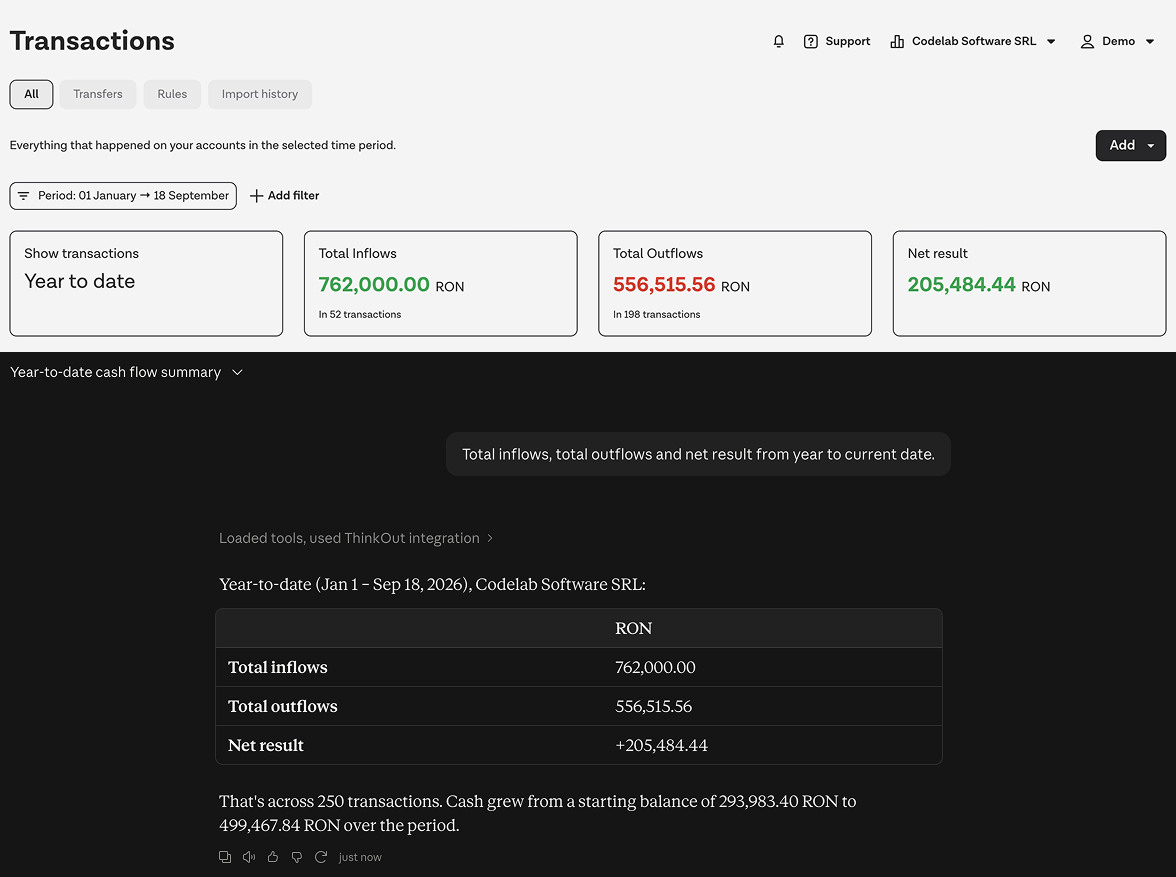
What your assistant can do
Behind the conversation, the assistant can ask ThinkOut:
Planned money stays apart from money that has moved. In a cash flow answer
the assistant says which part has already happened and which is still
expected, and the two add up to what the cash flow screen shows.
Managing your assistant’s connection
Every assistant you connect appears under My account → Connected apps, with the workspace it connected to and when it was last used. Disconnecting usually takes effect within an hour, or immediately, on the next question that requires a fresh sign-in. If you lose your role in a workspace, access disappears automatically.Good to know
- Your assistant stays signed in for thirty days without use, and renews itself while you keep using it.
- Transaction and forecast lists arrive fifty at a time; ask for the next page to continue.
- Forecasts have no account. When you narrow a cash flow question to a bank or an account, the actual figures and the balances follow the filter, and the planned part covers the whole workspace; the assistant says so.
- When something could be either a client or a label, the assistant asks which one you meant rather than guessing.
- These docs are public. An assistant can read them without signing in, which helps it explore the API, but to reach your data it needs the connection only you can make.